
Select a new theme:
Golf League Tracker Default
U.S.A.
Camo
Charcoal
Dark/Nighttime
Desert Sand
Fire and Ice
Monochrome
Ocean
Pink Pastels
SaveCancel
With the League Manager product, Golf League Tracker can calculate a wide variety of points for your league. If you don't see any points calculated, you haven't set them up! Unfortunately, I haven't been able to create the mind reading Golf League App yet, so unless you configure them, they will be blank!
You will configure points where you configure everything -- In your League Settings
Navigate to Administration -> League Setup -> League Settings -> Change League Settings
From there, you can narrow down your point search with the Setting Category Drop down. You'll see a number of different categories under the Points section. What you see may be different from the screen shot below, depending on the format of your league (e.g. you won't see "team points" for an individual player league)
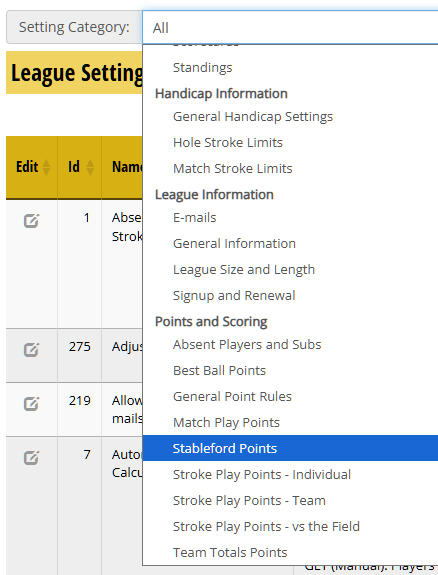
Once you set up your points, it's ready for the next round. Points are saved into the standings when you "Record Points" for your round. See this help article for more details on Recording Points.
All points configured in Golf League Tracker are added together for a player total, and if on a team, a team total. This total is displayed in the League Standings report. While you can break down points between Team and Individual, in the case of a team league, you cannot play two different formats at the same time.
For example, if you wanted to play Match Play and Stableford at the same time, all points won by both formats are added together for an individual total. You cannot run two different standings at the same time withing Golf League Tracker.